How to set up personalized surebet telegram alerts in sportalon
Today I'll show you step by step how to set up personalized Telegram alerts on Sportalon sports arbitrage software.


Summarize this article with your preferred AI
Table of contents
As you know, you can do sports arbitrage either as a full-time job or part-time. Sportalon's personalized Telegram alert system is particularly useful if you do arbitrage part-time.
This feature allows you to receive surebet alerts directly on Telegram based on your preferred country and bookmakers.
Setting it up is quite simple and straightforward, so let's get started.
How to setup personalized telegram alerts on Sportalon sports arbitrage software (step by step)
Sportalon has a general Telegram channel where we share surebet alerts. However, the personalized alert system works differently, and we'll get into that in a minute.
You can receive alerts by joining the general Sportalon Telegram channel. Anyone can join this channel, whether you're a paid subscriber or not.
However, as the name suggests, this channel doesn't provide the full details of each surebet nor does it offer personalized alerts.
If you're reading this and aren't yet a Sportalon customer, the channel can still give you an idea of how frequently we find surebets and how many arbing opportunities we find in a single day.
If you're on the weekly plan, you can also use the general Telegram channel. This is because the personalized Telegram alert system is only available on the monthly and yearly subscription plans.
Okay, that's all for that. Now, let's take a quick look at how to set up your personalized Telegram alerts.
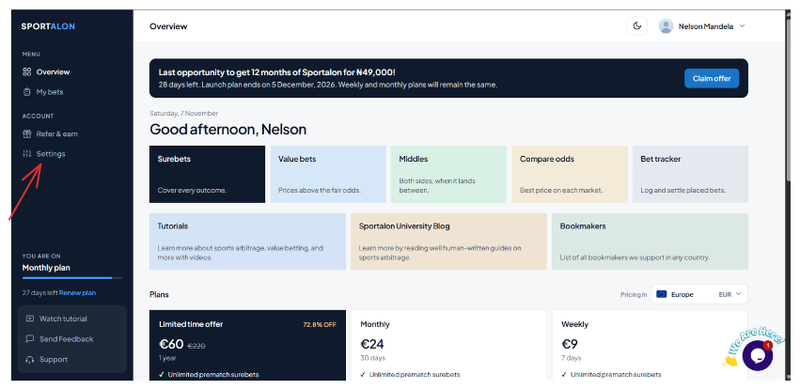
Step 1: Go to settings from your Sportalon dashboard
Step 2: Get Your Telegram User ID
You'll need your Telegram User ID to set up personalized alerts.
To get it, open Telegram and follow the steps below.
In the search bar, type userinfobot.
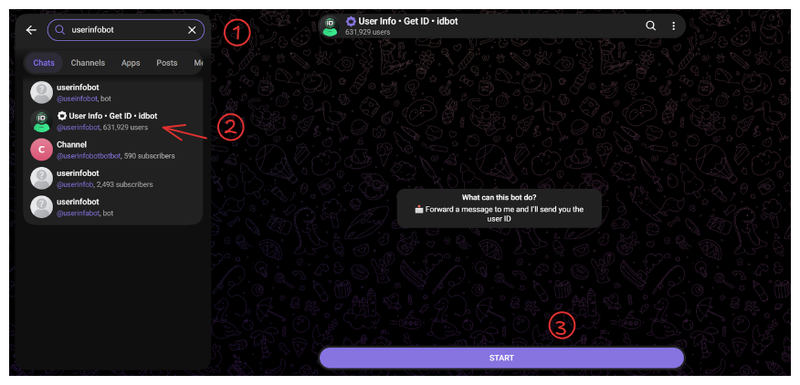
The last step here is to click on thr start button and the bot should reply with your details like this
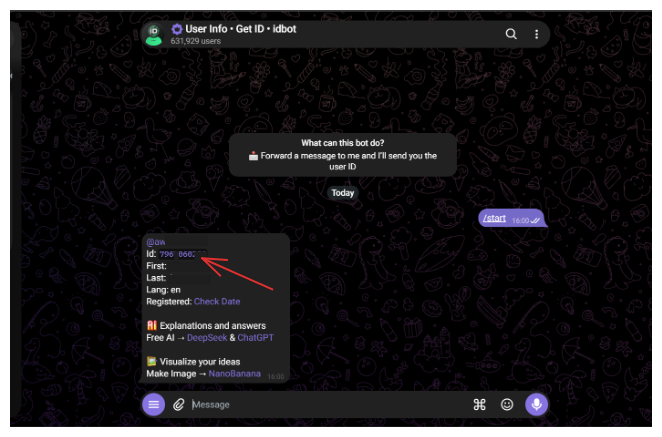
Simply copy your Telegram ID and return back to your Sportalon dashboard.
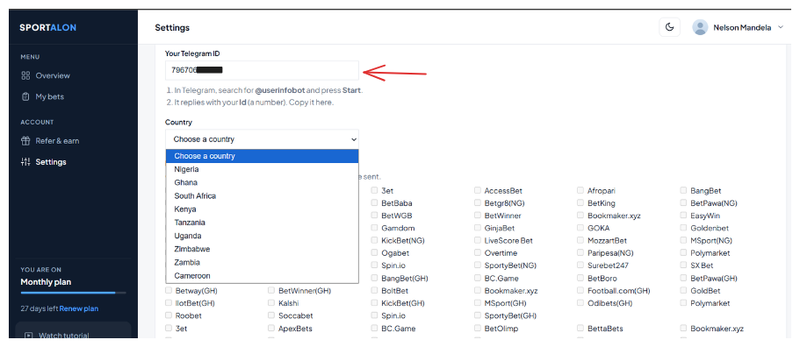
Then paste your ID here and continue with the next steps.
Step 3: Select your country and bookmakers
Select your country and the corresponding bookmakers you use for your sports arbitrage.
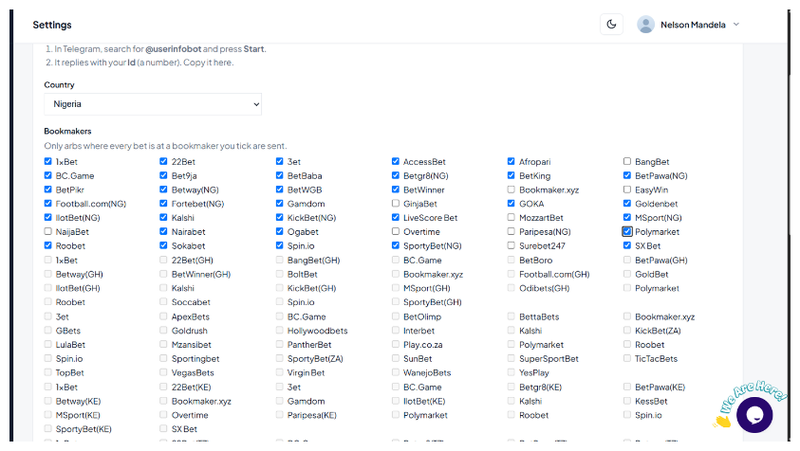
Note that you will only receive surebets alerts only from the bookmakers you've ticked during this stage and of course you can always edit it at any given time.
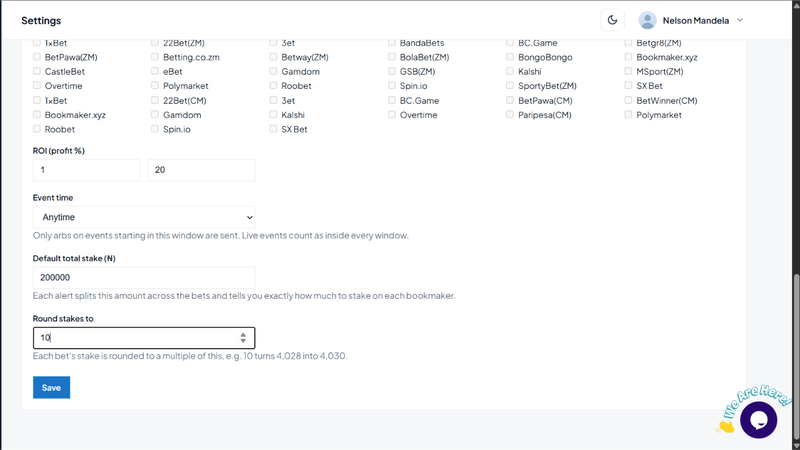
Then set up these options as you want and click on Save when done.
Now scroll up and you should see a notification of successful setup if you did everything right.
However we still need to do something important.
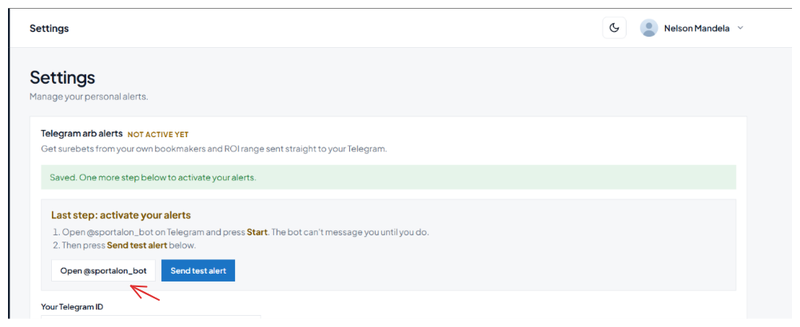
Either click or go to Telegram and search for @sportalon_bot
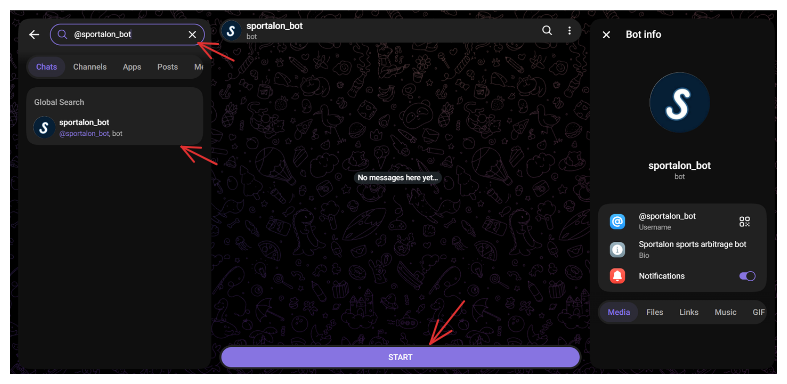
Then finally click on the Start button. Return to your settings tab and click on Send test message
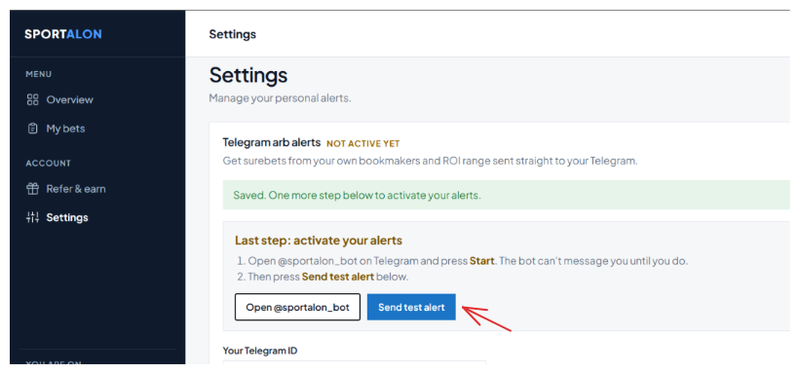
You should receive a sample text message if you did everything right.
And thereafter you should begin to receive alerts like this below
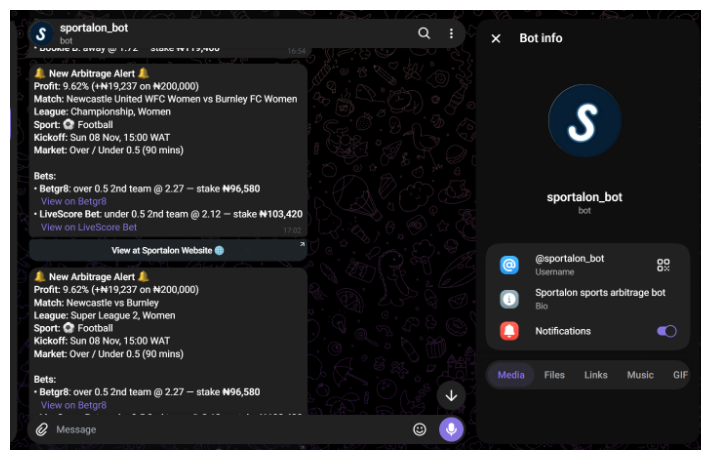
Congratulations! You've successfully set up your personalized Telegram alerts.
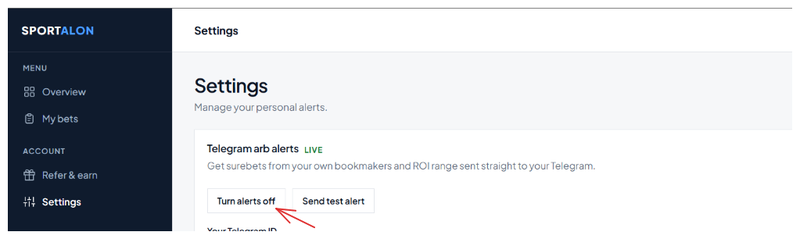
You can also turn off the alerts whenever you want. This is quite simple to do. If you're unsure how, see the image below for guidance.
Hopefully, this short guide has been helpful.
That's all I have for you in today's blog post.

Collins Awusa is a software developer & founder of Sportalon.com